
Free invoicing software for agenciesGet paid online and keep 100% of every invoice
No credit card. No monthly fee. Clients can cover the processing.
Trusted by modern agencies
Get paid onlineClients pay by card or bank transfer, and can cover the fees.
See how fees workA payment page for every invoice
Clients open a clean invoice page and pay in a couple of clicks, no account required.
app.tillage.ai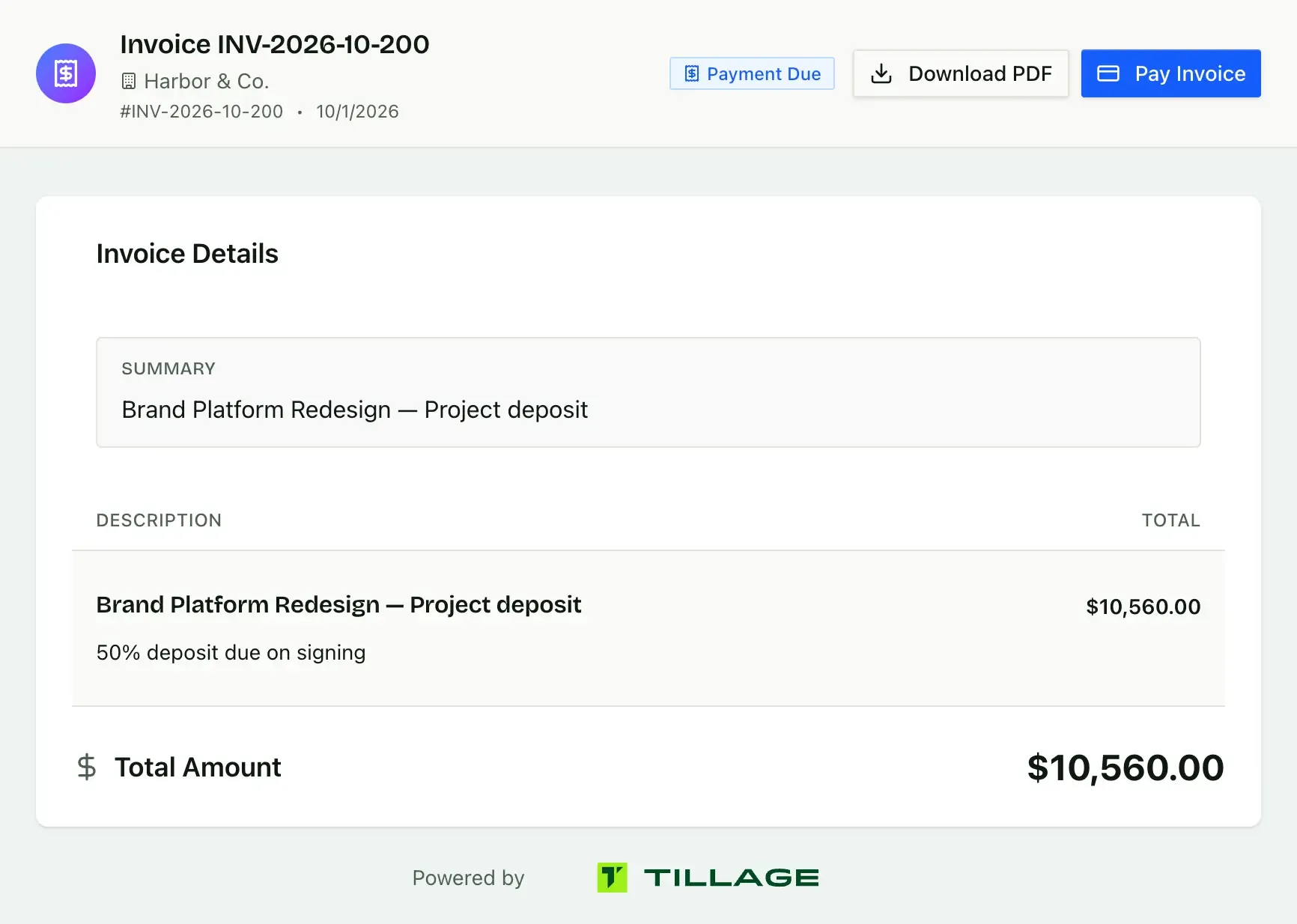
Card and ACH through Stripe
Accept cards and lower-cost ACH bank transfers through your own Stripe account.
app.tillage.ai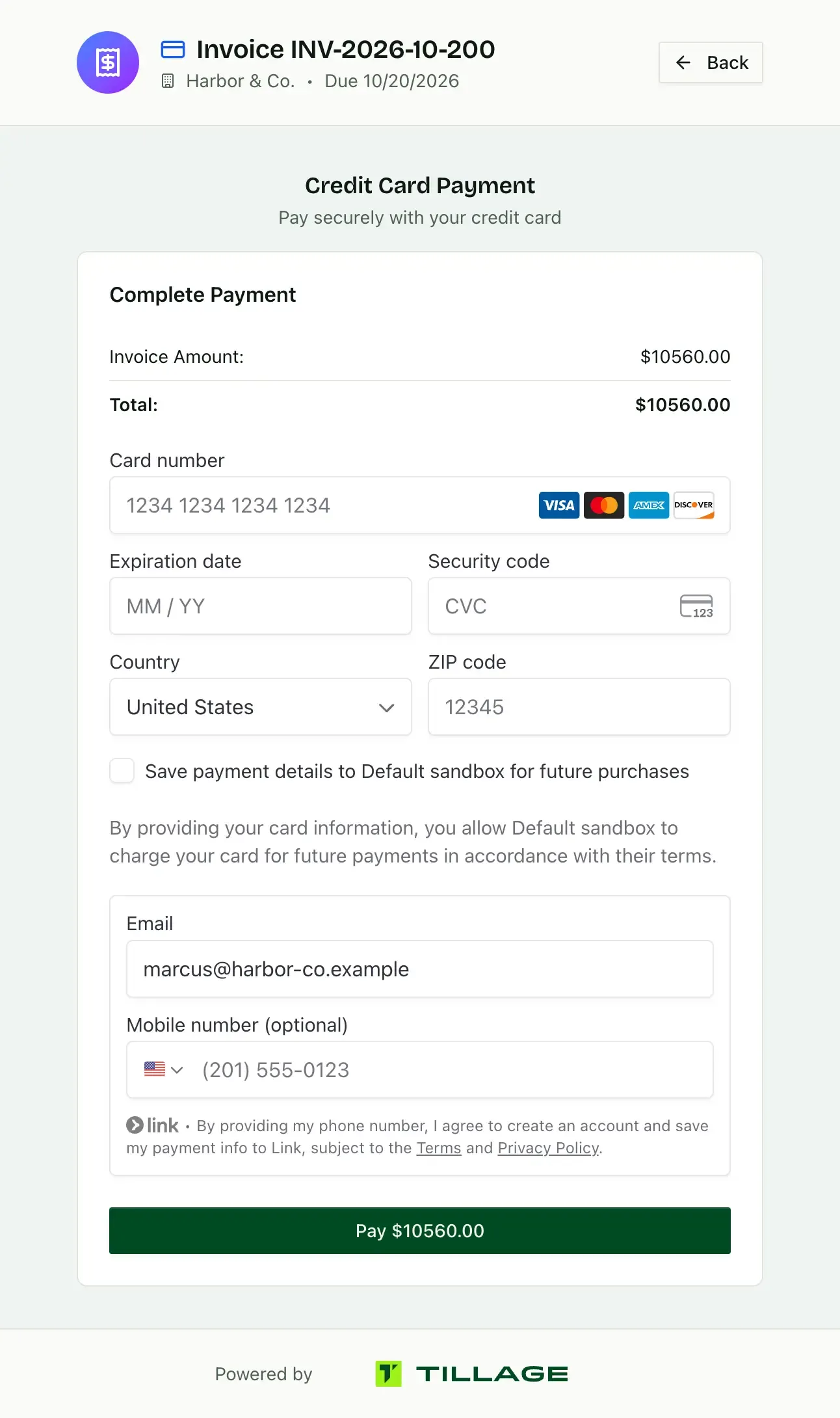
Clients can cover the fees
Turn on “Client pays” and Tillage adds card and platform fees at checkout. Bill $5,000, receive $5,000.
app.tillage.ai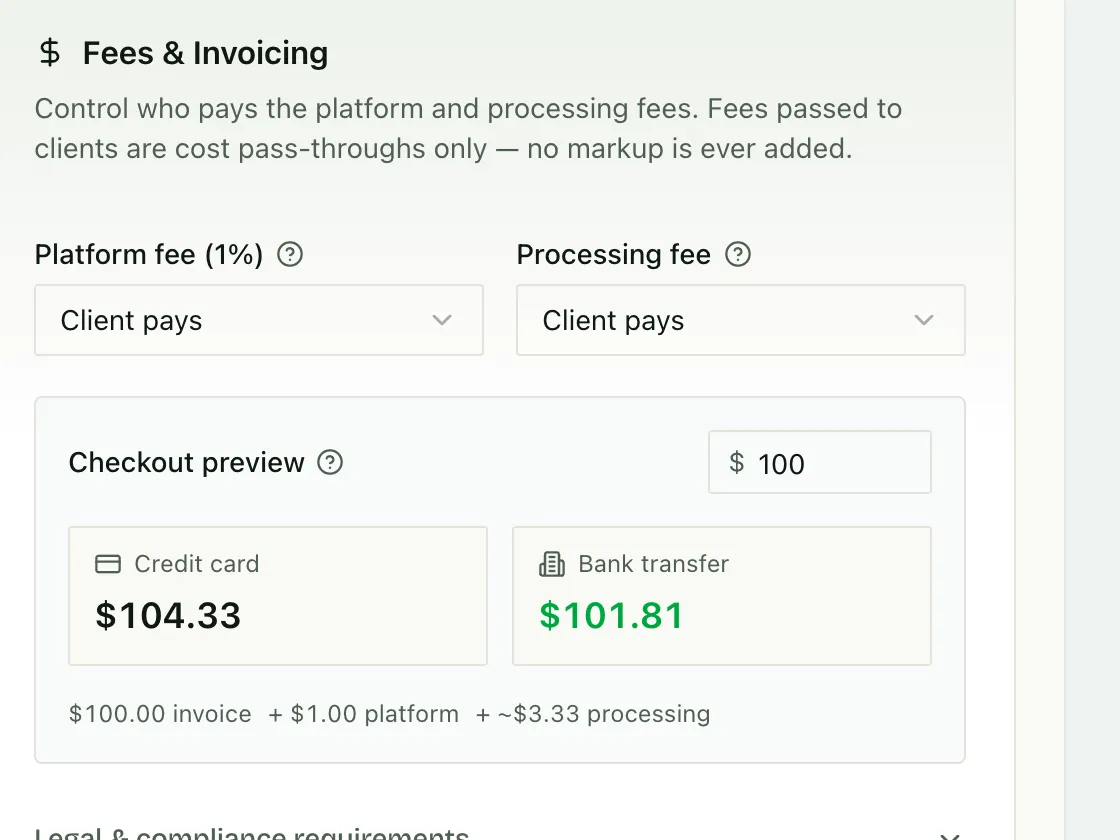
Invoices that send themselvesSchedule every deposit, milestone and retainer once.
Learn about billing schedulesPayment schedules
Split a contract into a deposit and milestones. The deposit is issued on signing, and the rest are ready to send from the same schedule.
app.tillage.ai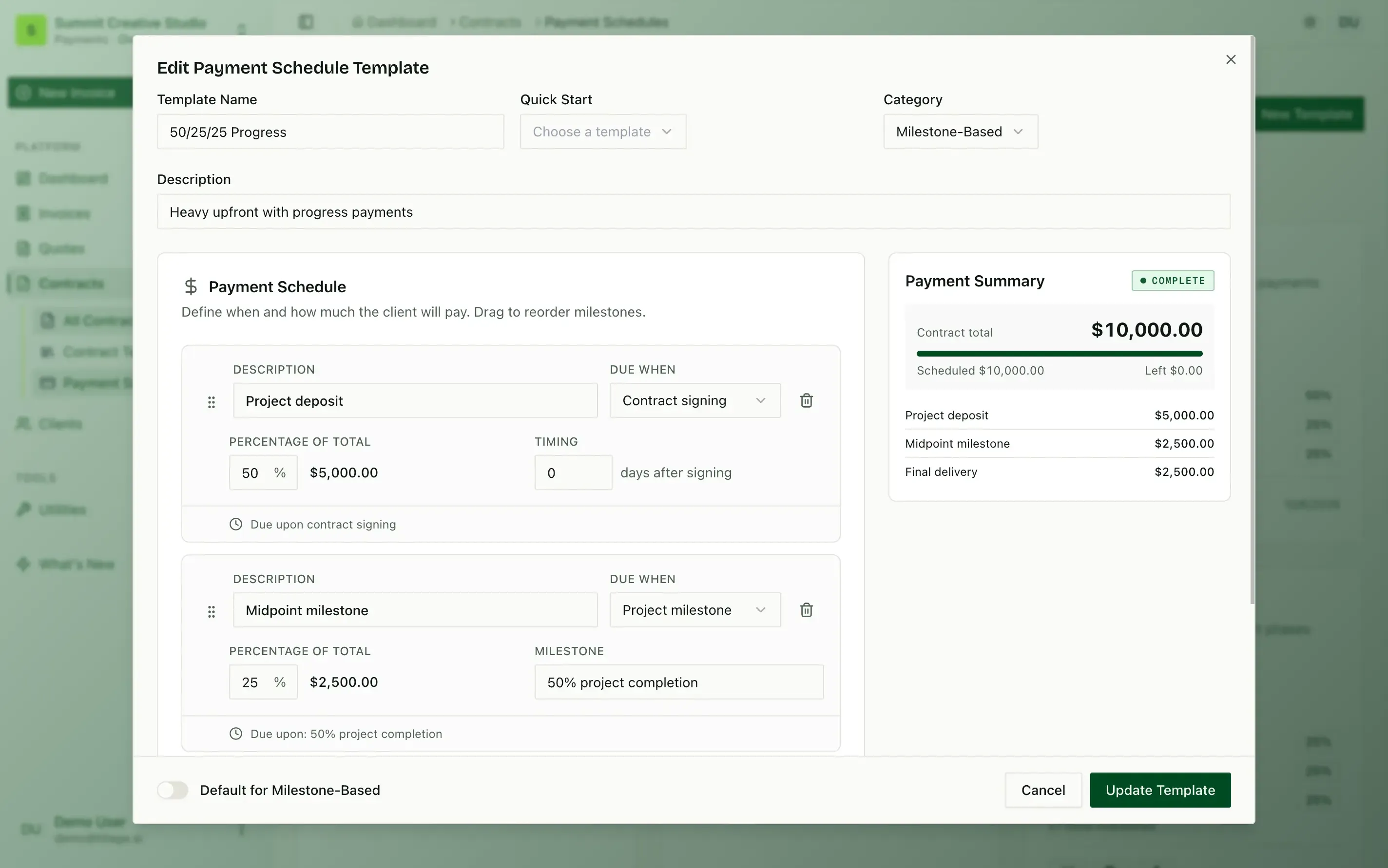
Every status at a glance
See what is not sent, issued, paid and late across every client, with overdue days counted for you.
app.tillage.ai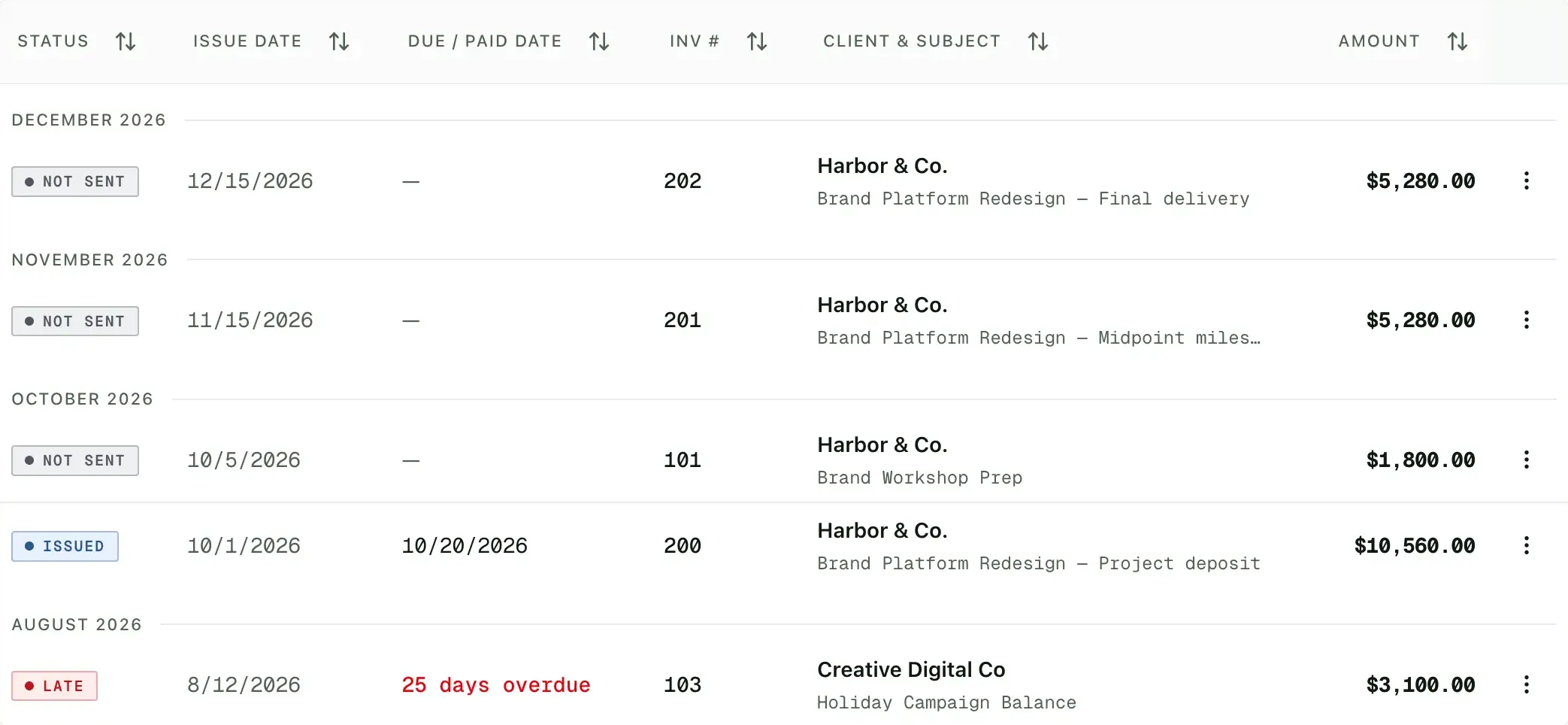
Invoice from Claude
Ask Claude to bill a client, and it creates the invoice in Tillage through MCP as a draft for you to send.
Invoice Harbor & Co. $5,280 for the October retainer.
 tillage · create_invoiceINV-2026-10-201Draft
Harbor & Co.
October retainer
$5,280.00
Created as a draft. Want me to send it?
Know where your money isReceivables, revenue and forecasts in one view.
See integrationsReceivables and revenue
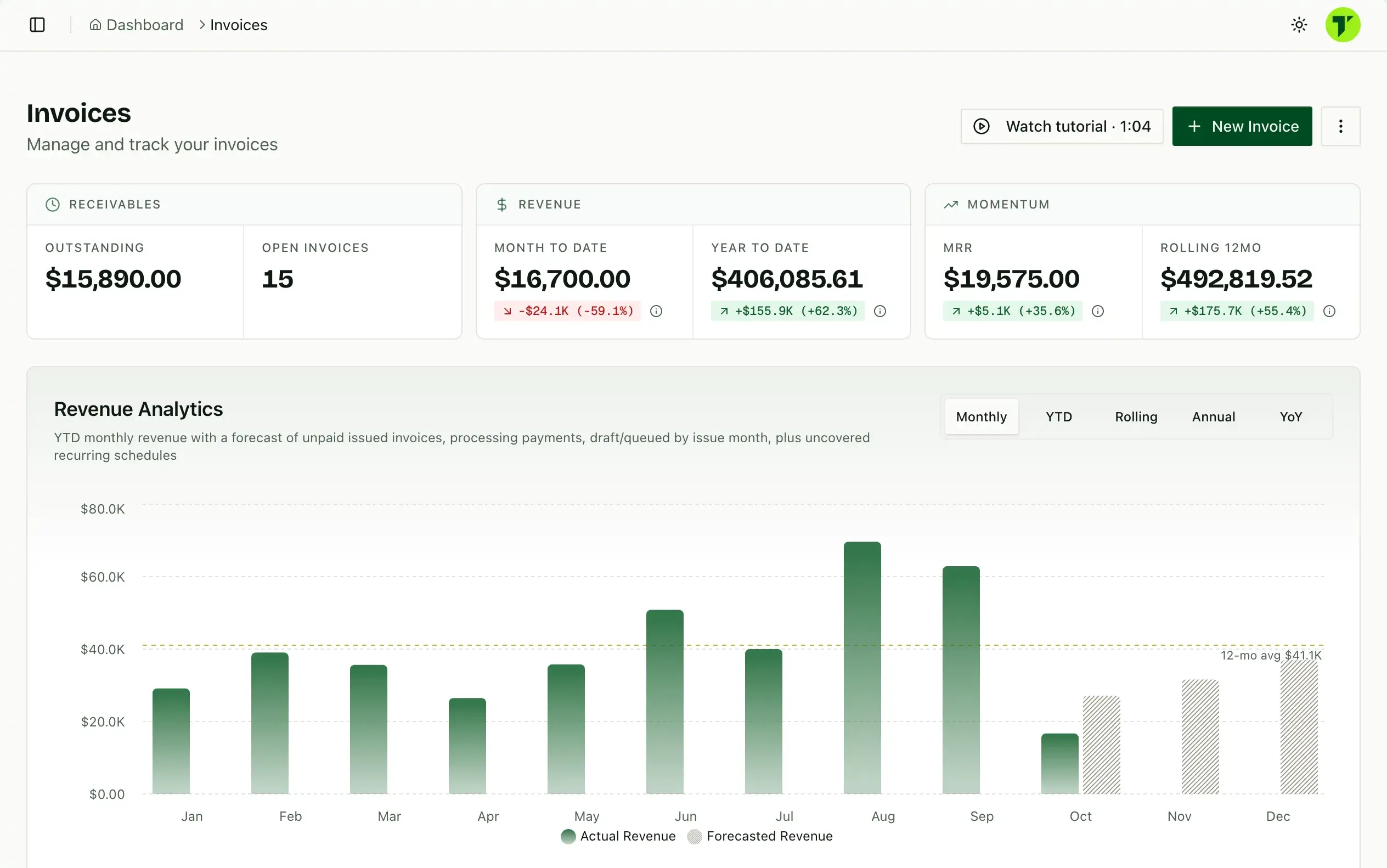
Outstanding balance, open invoices, month-to-date and year-to-date revenue, all on one screen.
app.tillage.aiRevenue forecasts
Unpaid, scheduled and recurring invoices roll into a monthly forecast, so you can see what is coming.
app.tillage.aiAccounting sync, coming soon
Sync with QuickBooks, Xero, Mercury and Puzzle is in development. Today you can import past invoices from QuickBooks or a CSV file.
QuickBooksXeroMercuryPuzzle
Collect without the chaseCharge, record and update payments in a click.
Learn about the client portalCharge the card on file
Run an admin payment against a client’s saved card or bank account, and the invoice is paid without them lifting a finger.
app.tillage.ai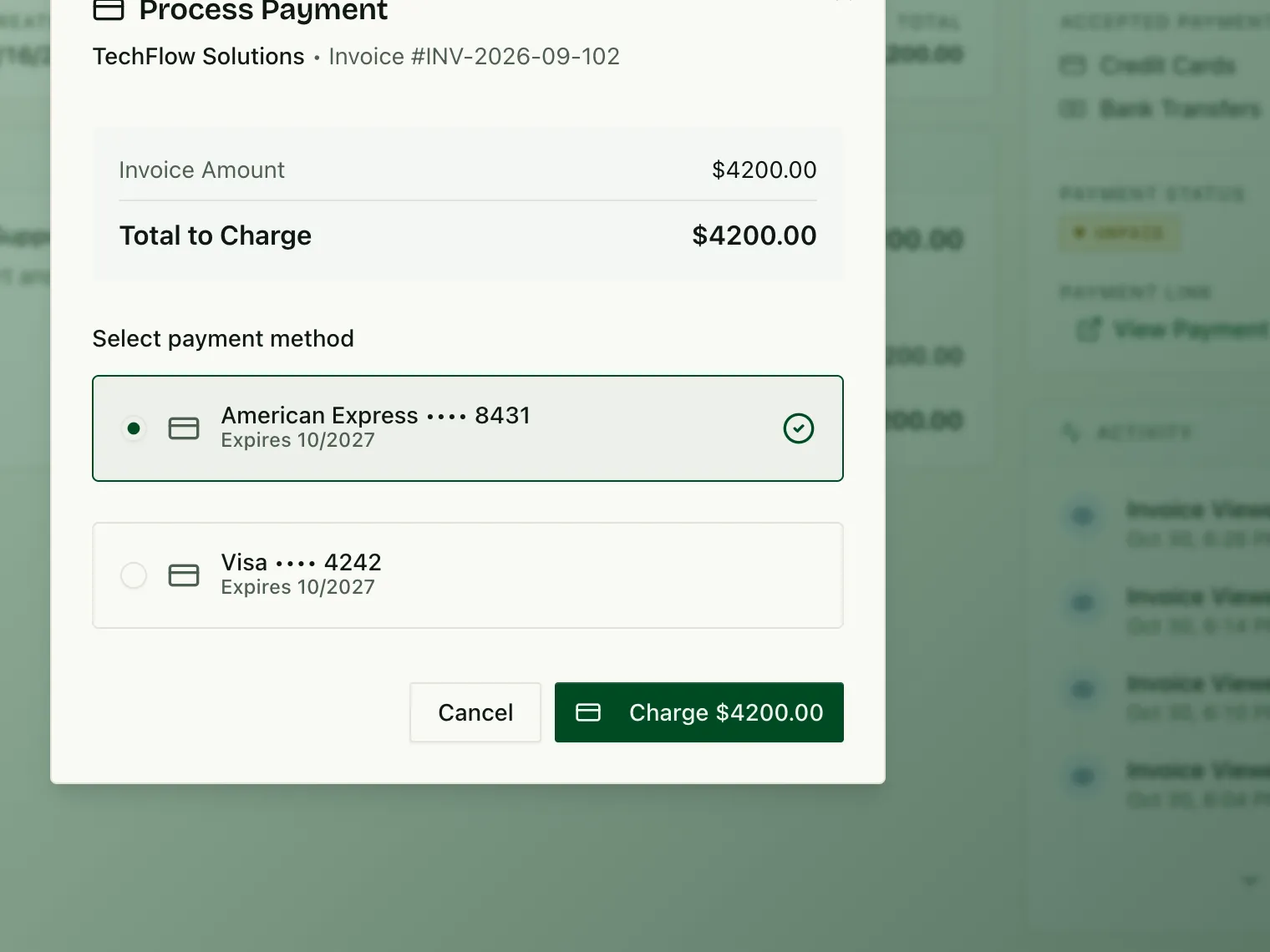
Quick actions from the list
Mark invoices paid, take a payment, resend or duplicate an invoice right from the invoice list, without opening each one.
app.tillage.ai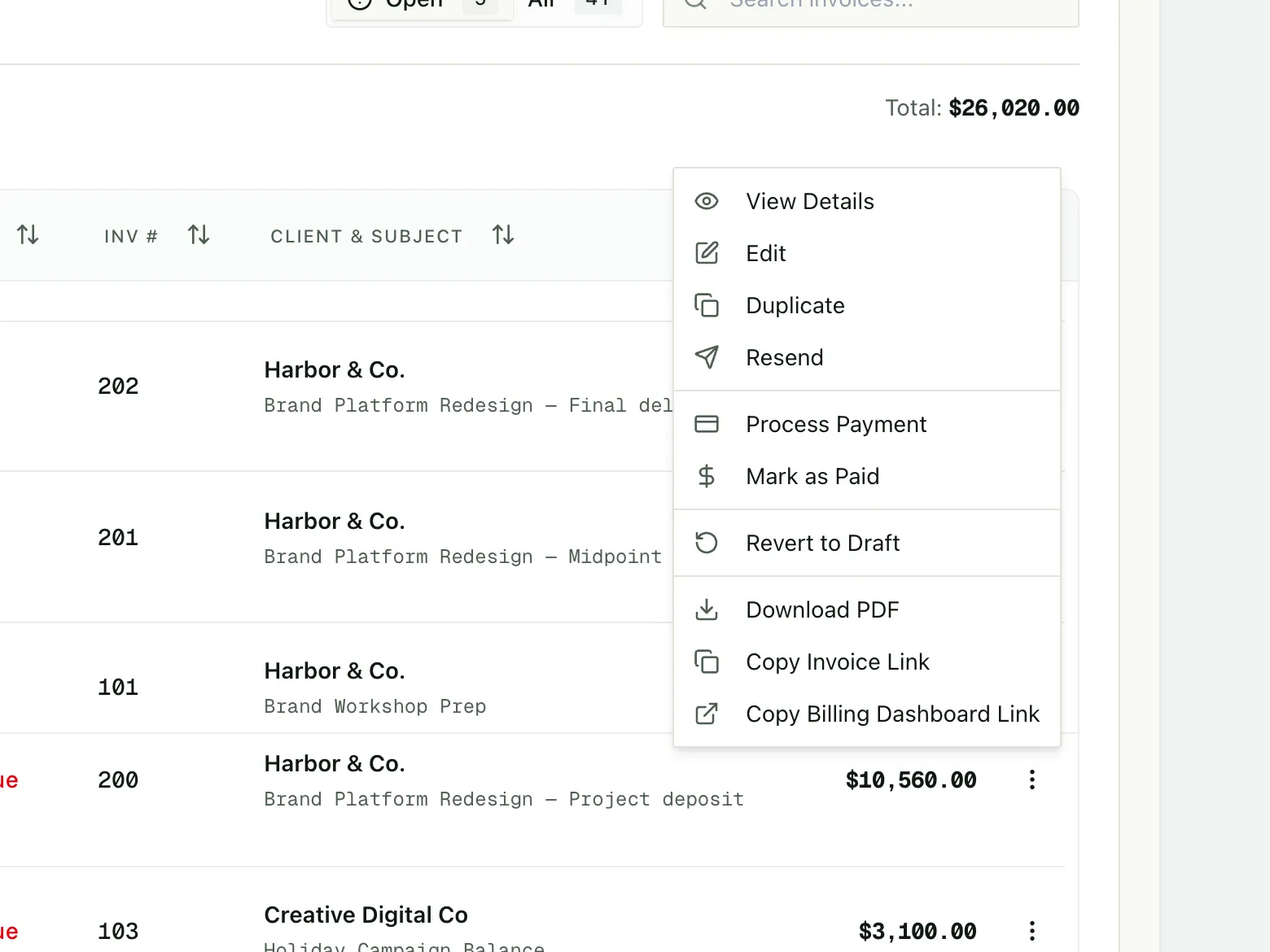
Payment methods on file
See every card and bank account a client has saved, and send them a link to update an expired one.
app.tillage.ai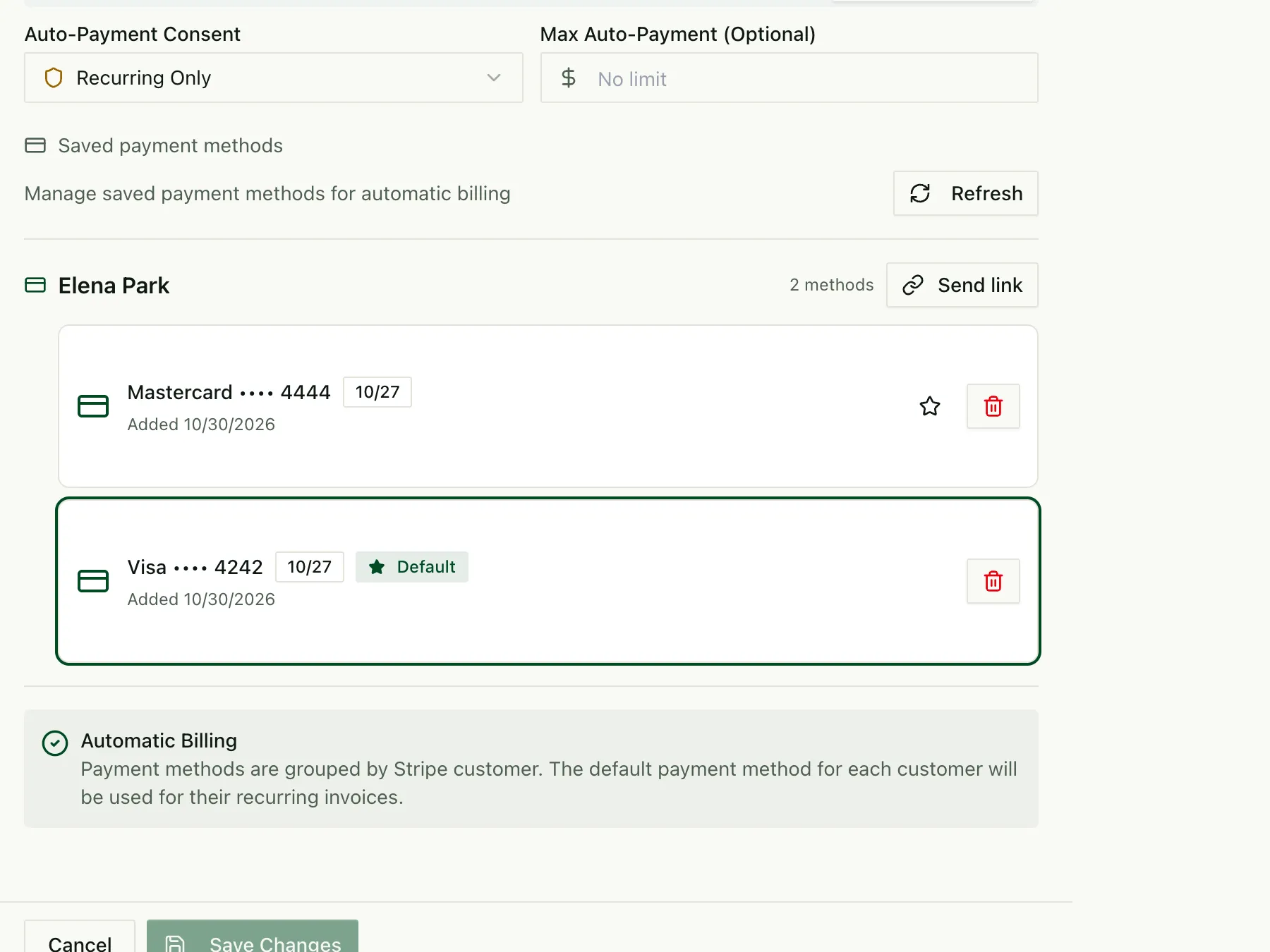
More in invoicing
Invoice reminders
Automatic reminders once an invoice is overdue, on a schedule you set.
Viewed and paid status
Know when an invoice is opened, and get confirmation the moment it is paid.
Smart title variables
Use {currentMonth}, {nextMonth} and {year} in invoice titles so recurring invoices name themselves.
Offline payments
Mark checks and wires paid manually. No Tillage fee on offline payments, ever.
Free tools and guides
Best free invoicing software
How the free plans compare, and where each one sets its limits.
Free invoice generator
Build an invoice in your browser and save it as a PDF.
Invoice templates
Free templates for every trade, with units and sections.
Stripe fee calculator
See what Stripe takes from an invoice, and what to charge to cover it.
Invoicing questions
Is Tillage’s invoicing really free?
Yes, Tillage lets you send unlimited invoices for $0/month. A 1% platform fee applies only when a client pays online, capped at $50 per invoice, and your client can cover it.
How do clients pay an invoice?
Each invoice has a secure payment page. Clients pay by card or ACH bank transfer through Stripe, and you can mark checks and wires paid manually at no cost.
Can I pass card fees to my clients?
Yes, set platform and processing fees to “Client pays” in Tillage’s Team Settings → Payments, and Tillage adds them at checkout so you receive the full invoice amount.
Can Tillage send invoices on a schedule?
Yes, build a payment schedule in Tillage, such as a 50% deposit and two milestones, or a monthly retainer, and Tillage creates each invoice from it. Retainers send on their own every month.