
Invoices that send themselvesDeposits, milestones and retainers, on time
No credit card. No monthly fee. Clients can cover the processing.
Trusted by modern agencies
Split any projectDeposits and milestones, without copying invoices.
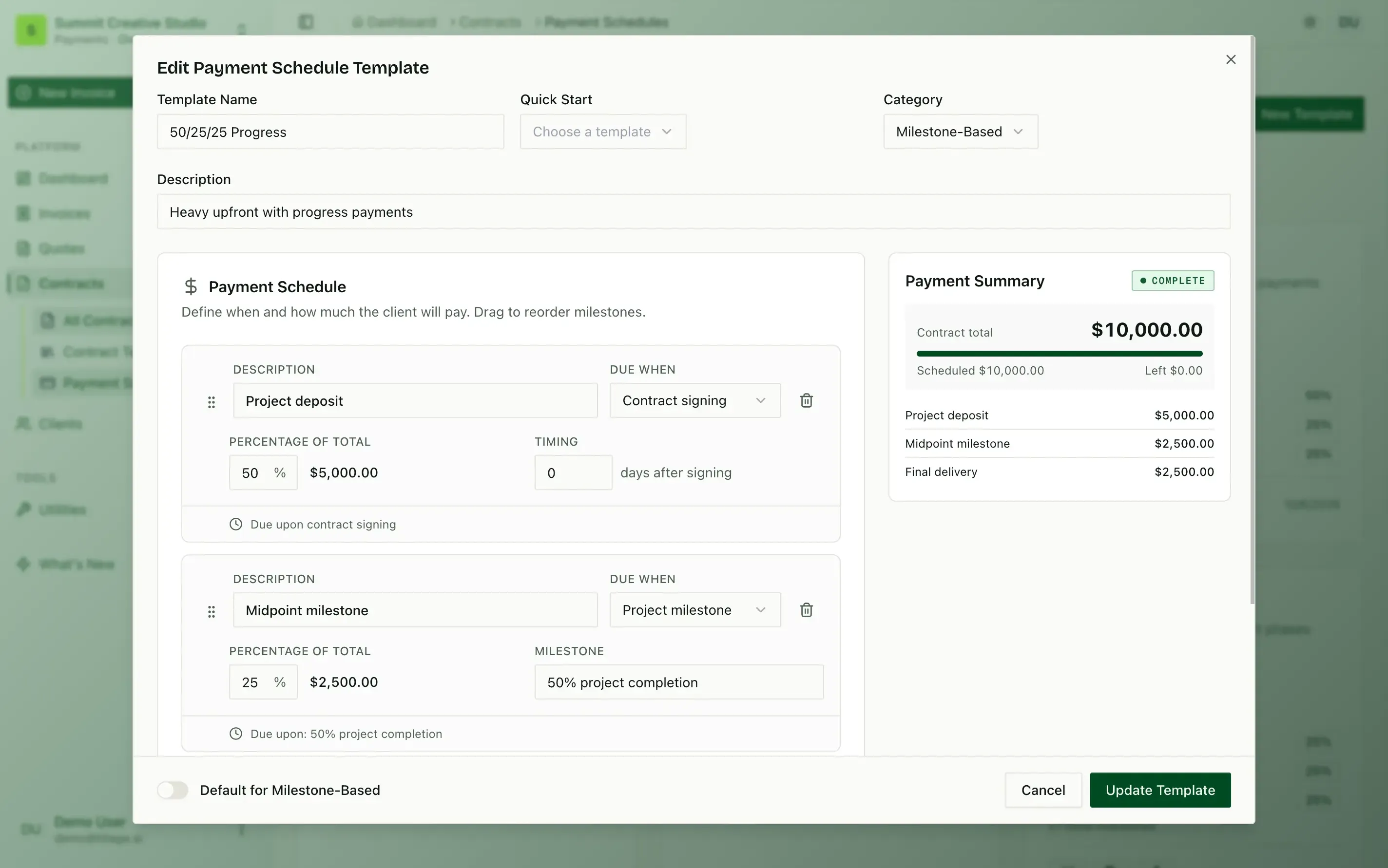
Percentages that add up
Split a contract into payments by percentage. Tillage shows the amount of each and checks they total 100%.
app.tillage.aiTriggers for every payment
Each payment has a trigger: contract signing, a number of days after, a date or a milestone.
app.tillage.aiTemplates you reuse
Save a schedule like 50/25/25 progress billing as a template, and start every new project from it.
app.tillage.ai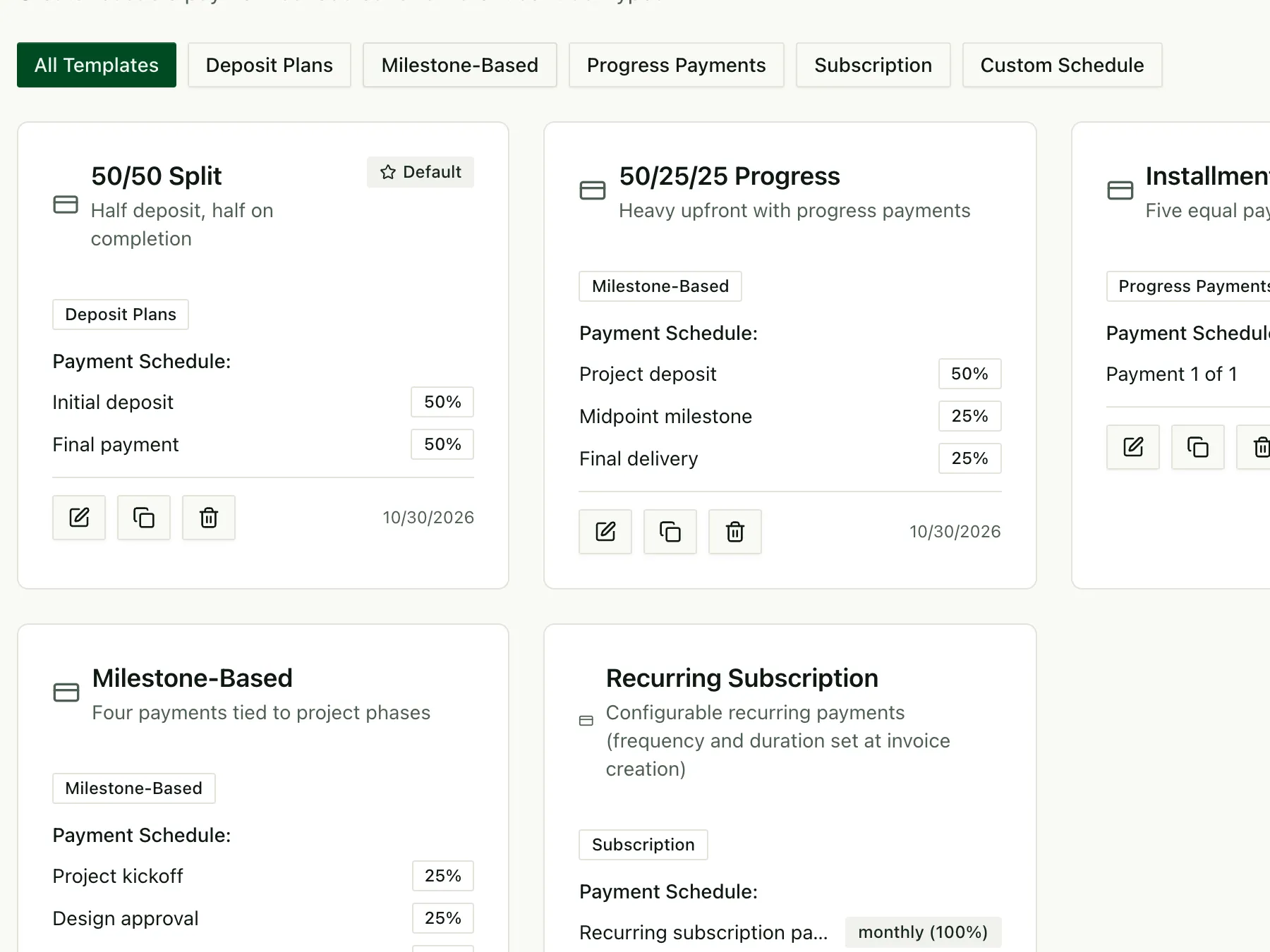
Retainers on autopilotRecurring invoices for monthly work.
Monthly retainers
Set the amount and the day of the month, and the retainer invoice goes out every month.
app.tillage.ai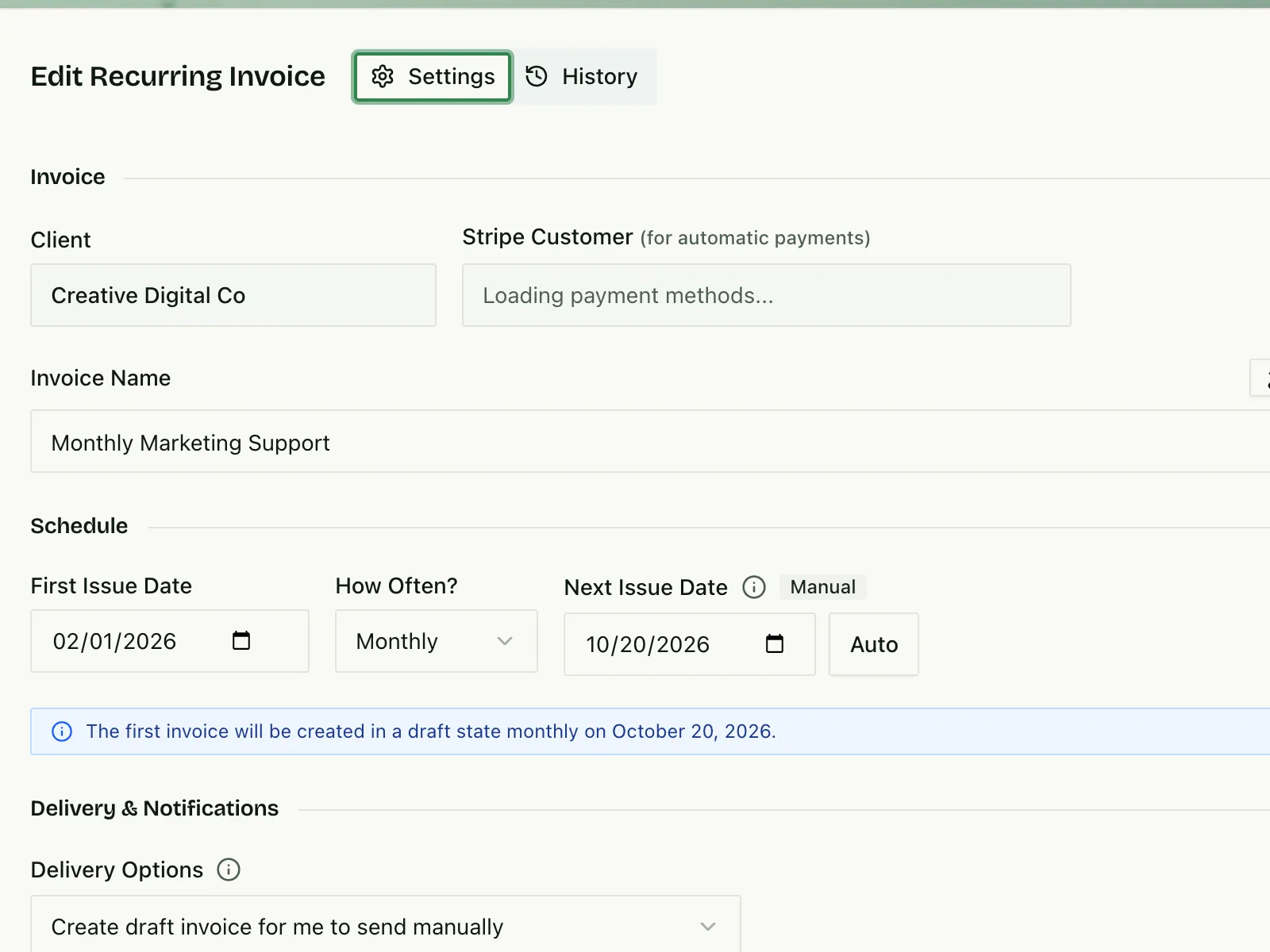
Recurring revenue, counted
Retainers roll into monthly recurring revenue, shown right on your invoices screen.
app.tillage.ai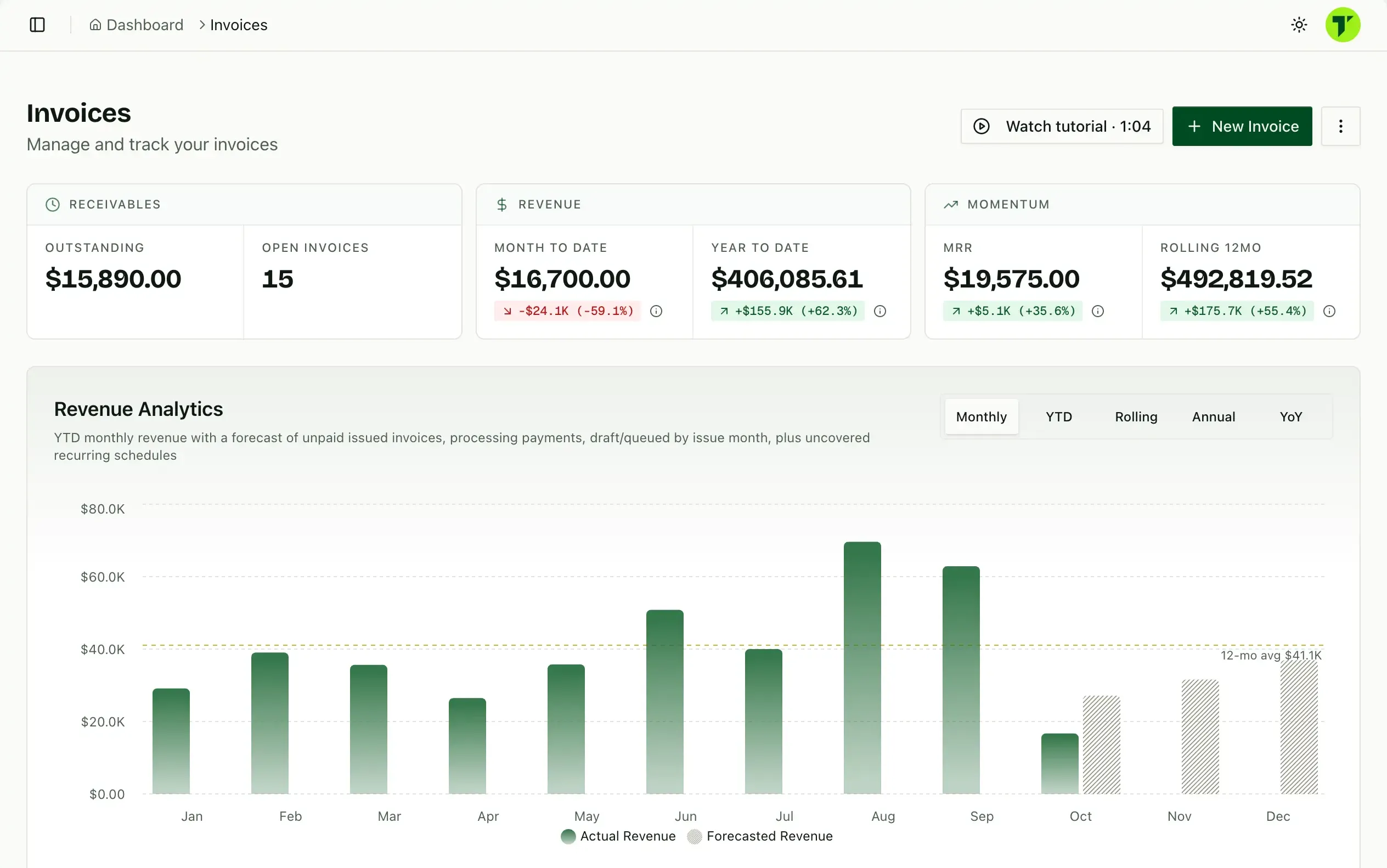
Forecasts that include them
Scheduled and recurring invoices feed the revenue forecast, so next quarter is no surprise.
app.tillage.ai
Every invoice, trackedSee what is scheduled, issued, paid and late.
Learn about invoicingOne list, grouped by month
Scheduled invoices line up by month, so you can see exactly what goes out when.
app.tillage.ai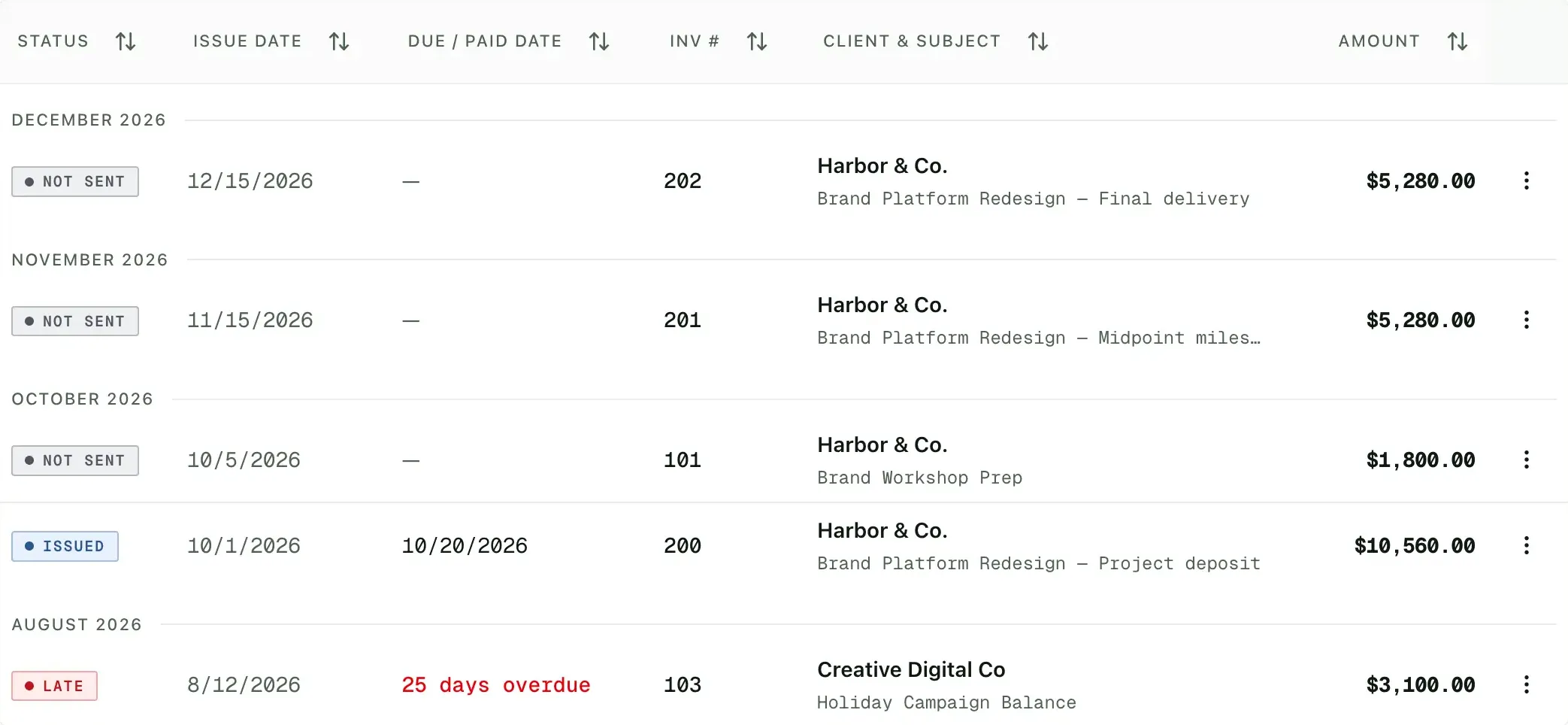
Late invoices stand out
Overdue invoices are flagged with how many days late they are.
app.tillage.aiChange course anytime
Move a milestone date, adjust an amount or pause a retainer, and the schedule updates.
app.tillage.ai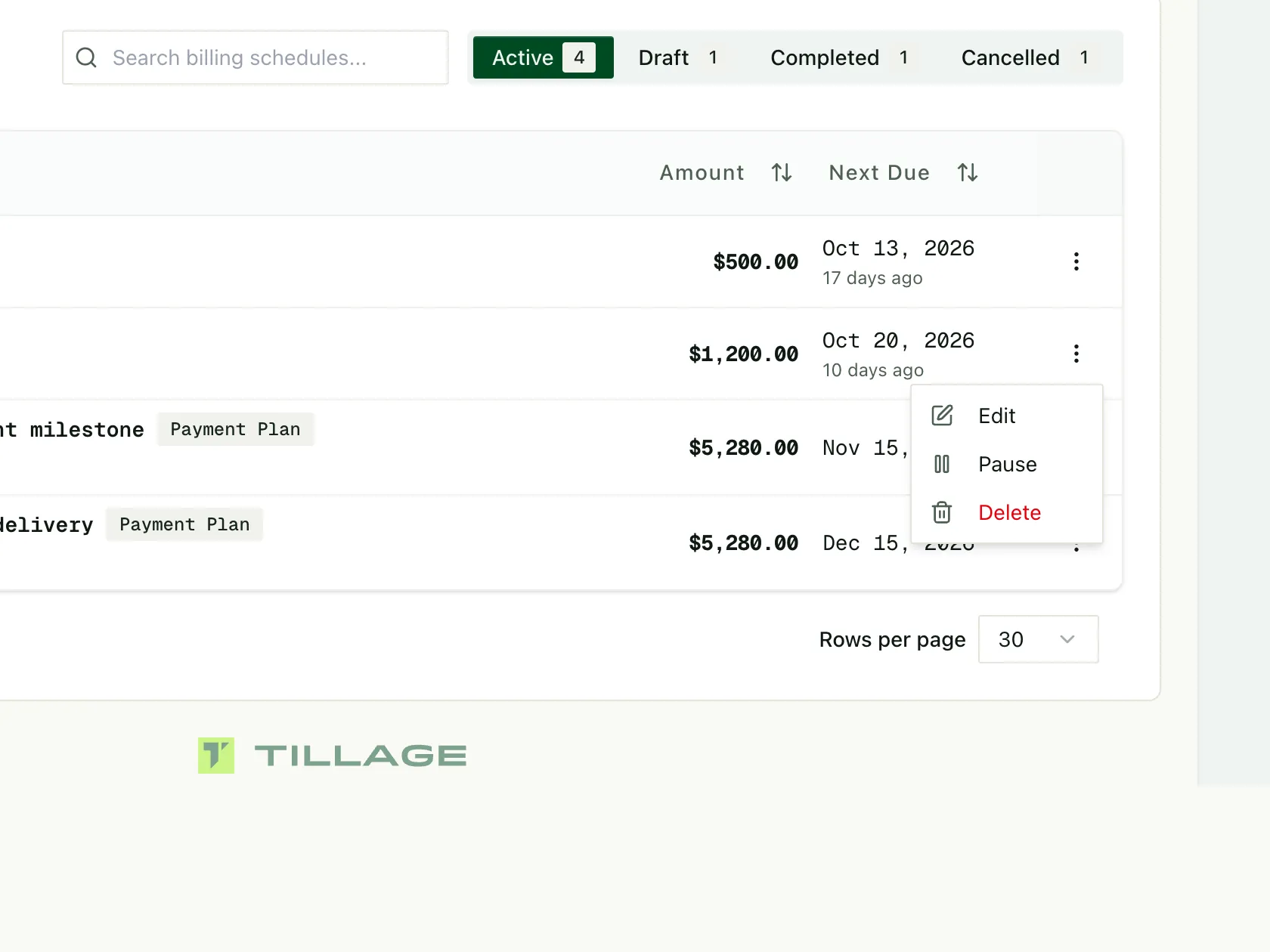
 Tillage Team
Billing schedule questions
What is a payment schedule?
A plan for how a project is billed, such as a 50% deposit and two 25% milestones. Tillage creates each invoice from the schedule instead of you copying invoices by hand.
When does each invoice go out?
Each payment has a trigger: contract signing, a set number of days after signing, a date, or a milestone. The deposit is issued on signing, and later invoices are ready to send when their trigger arrives.
Can I reuse schedules?
Yes, Tillage saves schedules as templates, like 50/25/25 progress billing, and start new projects from them.
Does Tillage handle retainers?
Yes, Tillage’s recurring billing issues a retainer invoice on schedule, weekly, monthly, quarterly, every six months or yearly, and recurring revenue counts toward your forecast.