
For contractors
Free invoicing software for contractorsDeposits up front, balances without the chase
No credit card. No monthly fee. Clients can cover the processing.
Trusted by modern agencies
Why billing is hard for contractorsMost invoicing tools weren’t built for how you work.
Deposits and progress billing done by hand
A job needs money up front, a payment midway and a balance on completion. Most tools make you create each invoice yourself, so it’s easy to start work before the deposit lands.
Late payments stall your cash flow
Materials and subs need paying now, but the client sits on the invoice for weeks. Without reminders, you float the job and make uncomfortable phone calls.
Card fees on big-ticket jobs
On a $20,000 job, a 2.9% card fee is $580. Absorb it and your margin shrinks; refuse cards and you wait longer for a check.
How Tillage helps contractorsQuote, contract and get paid in one free tool.
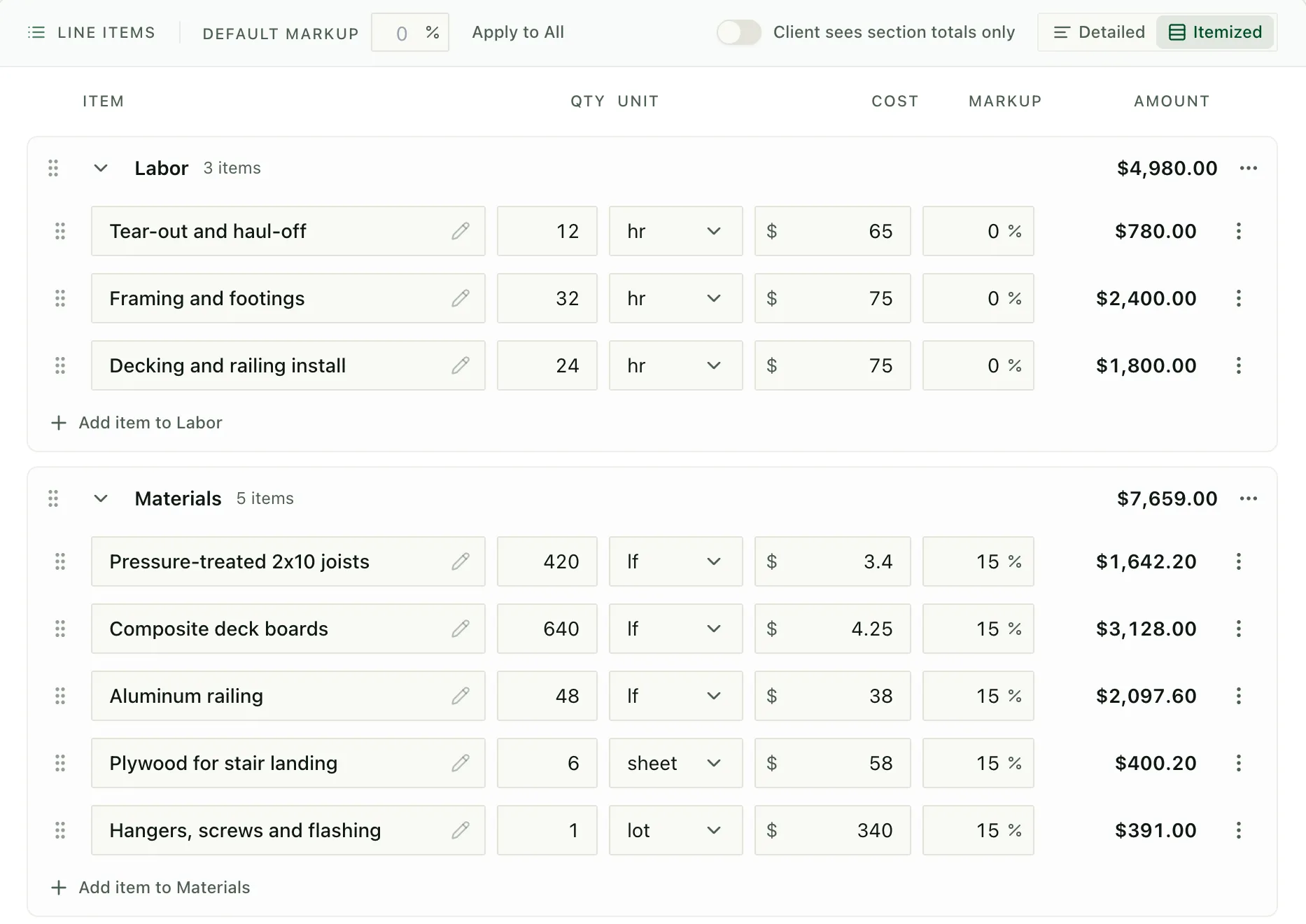
Deposits and progress payments
Set a schedule for the deposit, progress payments and final balance. The deposit invoice is issued on signing, and each progress invoice is ready to send when the work is done.
app.tillage.ai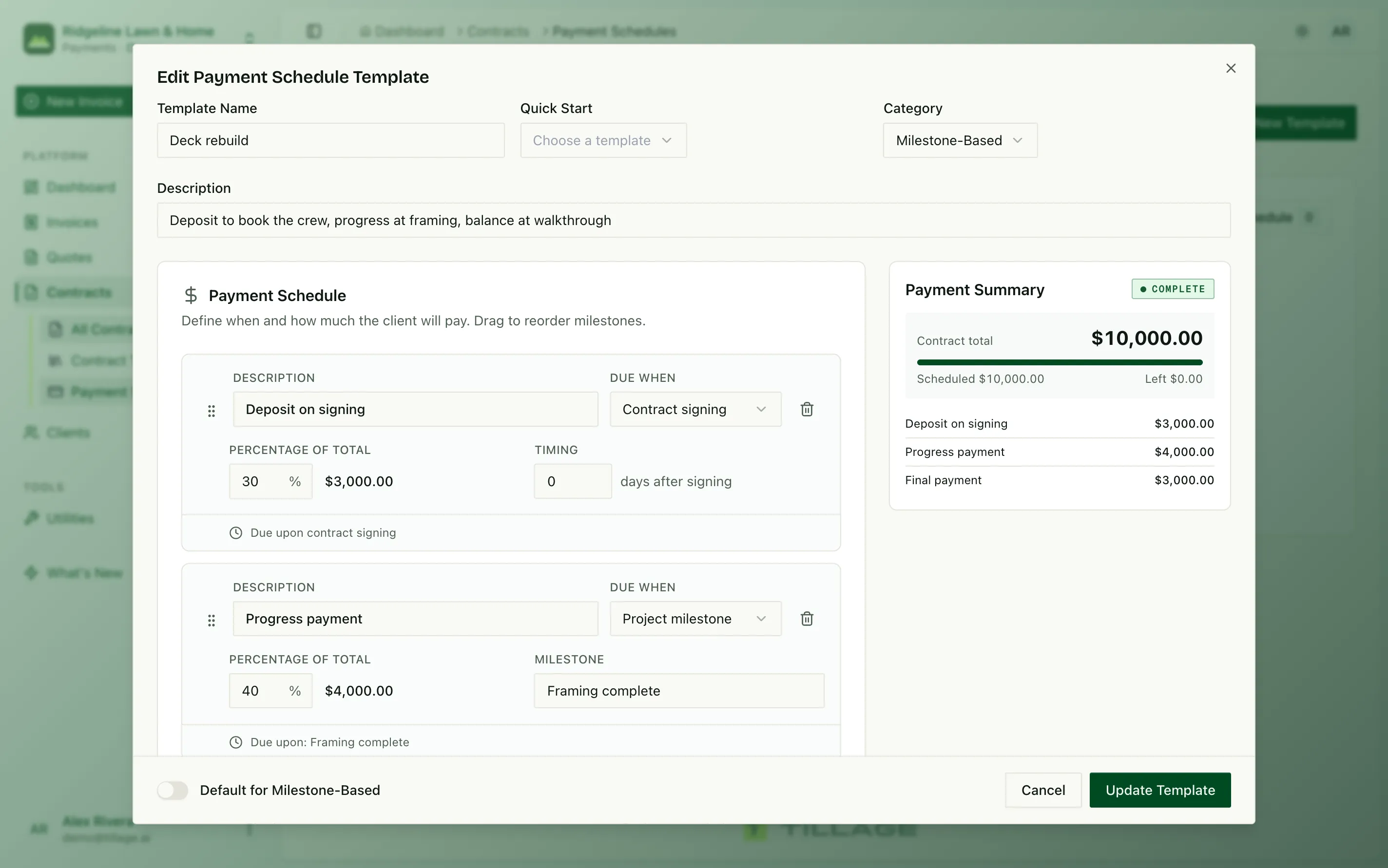
See who owes what
Every scheduled, issued, paid and late invoice in one list, with overdue days counted for you.
app.tillage.ai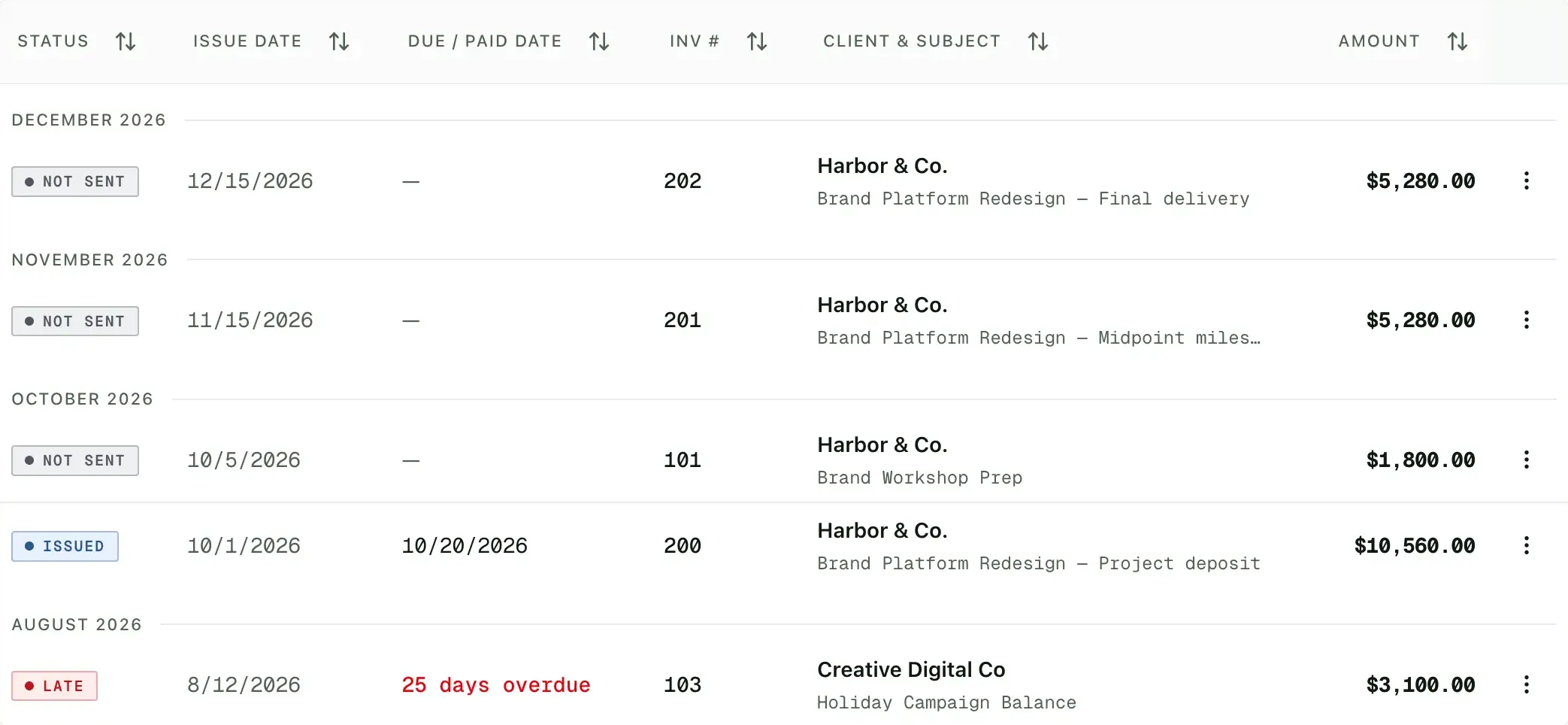
Pass card fees to the client
Accept cards and ACH, and let clients cover the processing fee at checkout, so a $20,000 job pays $20,000.
app.tillage.ai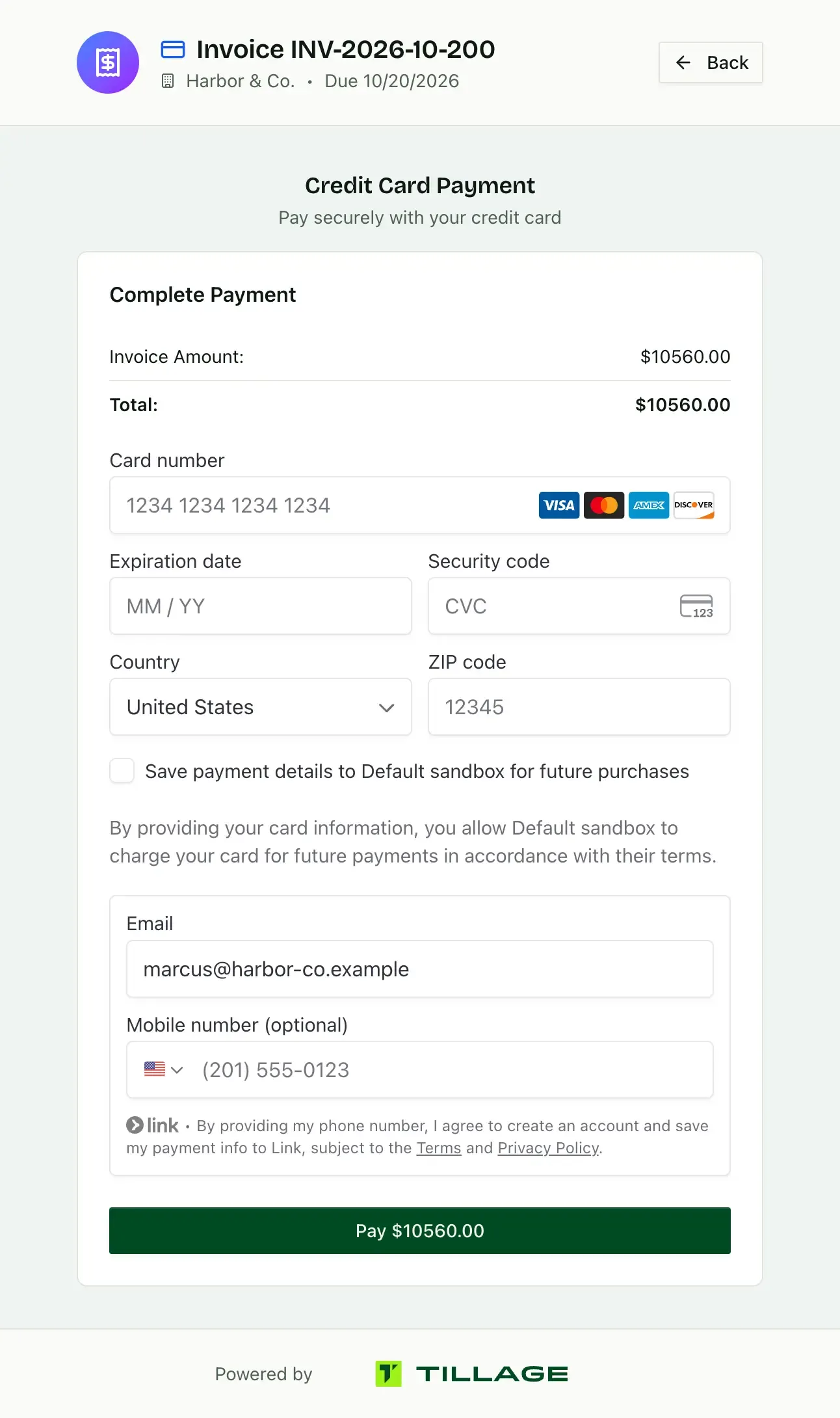
Also included, free
Automatic reminders
Reminders once an invoice is overdue, so you don’t make the call.
Contracts before you start
Get the job signed online before you order materials.
Charge the card on file
Charge a client’s saved card for an invoice in one click, without waiting on them.
Checks and wires are free
Mark offline payments paid with no Tillage fee.
Free tools and templates
Contractor invoice template
Line items and units for a job, ready to fill in and send.
Contractor estimate template
Labor and materials laid out for a client to approve.
Invoice templates by trade
Plumbing, electrical, HVAC, roofing, painting and more.
Estimate templates by trade
Start from a template with the units your trade uses.
Markup calculator
Turn your cost and markup into a selling price.
Stripe fee calculator
See what a card or ACH payment costs on a big job.
Lawn mowing price calculator
Work out what to charge per cut from your time and costs.
House cleaning price calculator
Work out what to charge per clean from your time and costs.
Looking for a Jobber alternative, a Housecall Pro alternative or a Joist alternative? Compare Tillage with Markate, Estimate Rocket, QuoteIQ, Yardbook, Invoice Simple, Invoice2go, or all trade software.
Tillage is also built for agencies, freelancers and consultants.
Questions from contractors
Can I take a deposit before starting a job?
Yes, make the first payment in a Tillage schedule due on contract signing, and the deposit invoice is issued the moment the client signs.
Can clients pay big invoices by ACH?
Yes, Tillage takes ACH through Stripe, which costs 0.8% capped at $5, and your client can cover it, so large jobs don’t lose a percentage to card fees.
Can I pass card fees to my clients?
Yes, set fees to “Client pays” and Tillage adds them at checkout. Some states restrict credit card surcharges, so check your local rules.
Is Tillage free for contractors?
Yes, Tillage is $0/month with unlimited estimates and invoices. The 1% platform fee applies only to online payments, is capped at $50 per invoice, and your client can cover it.