Free contractor invoice templateDownload a PDF or save it to Tillage, free

Free, no signup. Runs in your browser. All free tools

From

Bill to

Line items

    Get paid in full

    Only you see this box. It isn’t printed.

    Card fee if paid by card
    $0.00
    You receive
    $0.00

    Nothing is uploaded. Your invoice stays on this device.

    Your business

    Invoice

    INV-0001

    Bill to

    Client name

    Issued
    —
    Due
    —
    DescriptionQtyAmount
    Subtotal
    $0.00
    Total due
    $0.00

    What your client sees when you send it from Tillage

    Card or ACH. Your client can cover the fee.

    Save to Tillage opens your line items in the app as a reusable template, free. Client details stay here. Or to import later.

    Send the invoice from TillageSave this template, then quote, invoice and get paid in one place. It’s $0/month.

    Tillage for contractors
    • Itemized line items

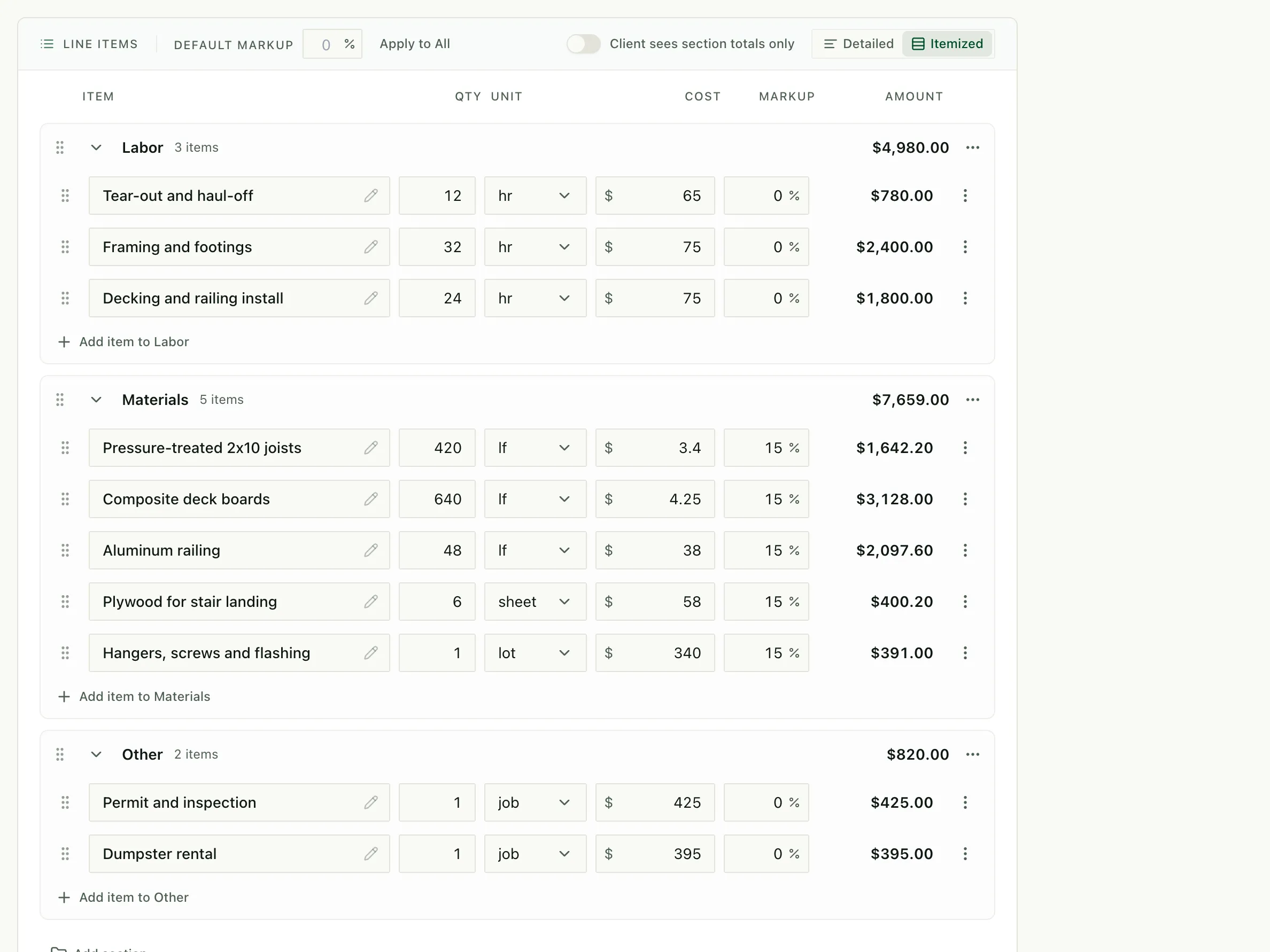
      Group the job into labor, materials and other costs, with a unit and markup on every line.

      app.tillage.ai
      The Tillage estimate editor with Labor, Materials and Other sections, each line priced by quantity, unit, cost and markup.
    • Deposits and progress payments

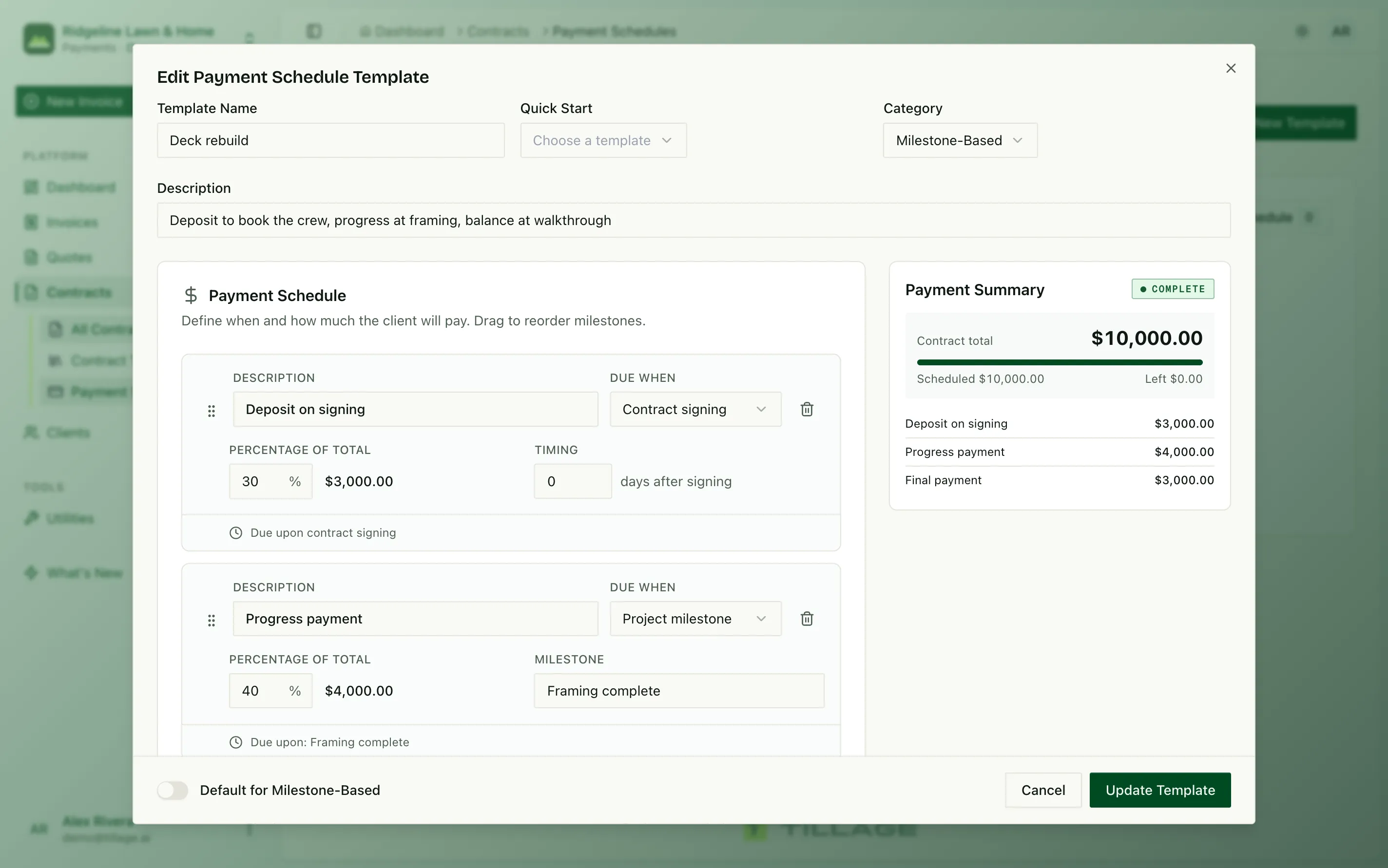
      Split the job into a deposit and progress payments, and each invoice is ready when the work is.

      app.tillage.ai
      A deck rebuild payment schedule: 30% deposit on signing, 40% when framing is complete, 30% on completion.
    • Invoice from the truck

      Connect Claude or ChatGPT to Tillage and say what you did. It creates the invoice with your line items, ready to send.

      Invoice Dana Whitfield for today: framing and install, finish carpentry and lumber package.

      Tillage · create invoice
      Done. Invoice INV-0142 for Dana Whitfield is $4,926.00, with your line items and units. Want me to send the payment link?

    Contractor invoice template questions

    Does this work for independent (1099) contractors?

    Yes. If you bill hours rather than materials, delete the materials lines and keep the labor rows with an hourly unit. The invoice works the same way for a freelancer or an independent contractor.

    How do I bill a deposit and progress payments?

    Note the deposit received in the invoice notes, or bill each payment as its own invoice. In Tillage you set the deposit and progress payments as a schedule on the job, and each invoice is created for you.

    Is this contractor invoice template free?

    Yes. No signup, no account and no watermark. Edit the line items, then download a PDF or print it. Tillage makes money from a 1% fee when clients pay online through Tillage, not from this template.

    How do I save this template to Tillage?

    Click “Save to Tillage”. Your line items, units and sections open in Tillage as a reusable quote template. If you don’t have an account yet, sign up free and the template is waiting when you’re done. Client details and your logo stay on this page.

    Can I import the template file later?

    Yes. Click “download the template file” to save a .json file, then import it from Quotes → Templates in Tillage whenever you’re ready.

    Are the prices in this template real rates?

    No. They’re sample figures to show the layout. Replace them with your own rates before you send the invoice.

    Send it. Get paid online

    Start invoicing free